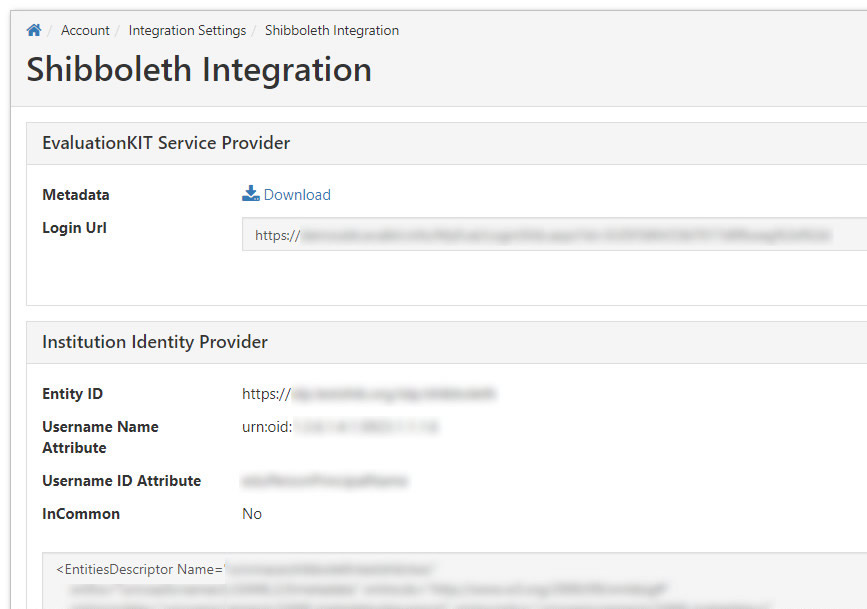
We can implement a user integration with Shibboleth authentication for users to access EvaluationKIT. Once enabled and setup, you can use a specific login URL to allow access to EvaluationKIT users through your Shibboleth Identity Provider.
NOTE
This feature is not enabled by default. Please contact EvaluationKIT Customer Support at eksupport@watermarkinsights.com to request this feature for your account.SETUP PROCESS
- Please contact the EvaluationKIT Support Team at eksupport@watermarkinsights.com and provide the following information:
- Entity ID: The URL of your Shibboleth Identity Provider.
- Username Name and ID Attribute: The name and id of your institution's username attribute (Ex. name=urn:oid:1.3.6.1.4.1.5923.4.1.1.6 id=eppn).
- Username Common Text: If applicable, provide us with the common value that needs to be removed before the user is authenticated, otherwise ignore.
- Metadata: Provide the Metadata XML from your institution's Identity Provider.
- InCommon: Let us know if your institution is using the InCommon method (Yes or No), and if InCommon, there is no need to send Metadata.
- Test User Account: Provide the login credentials for a test user account to test the integration after setup is complete.