You can implement a user integration with CAS (Central Authentication Service) authentication for users to access EvaluationKIT. Once enabled and setup, you can use the login URL to allow access to EvaluationKIT users through your CAS server.
NOTE
This feature is not enabled by default. Please contact EvaluationKIT Customer Support at eksupport@watermarkinsights.com to request this feature for your account.SETUP
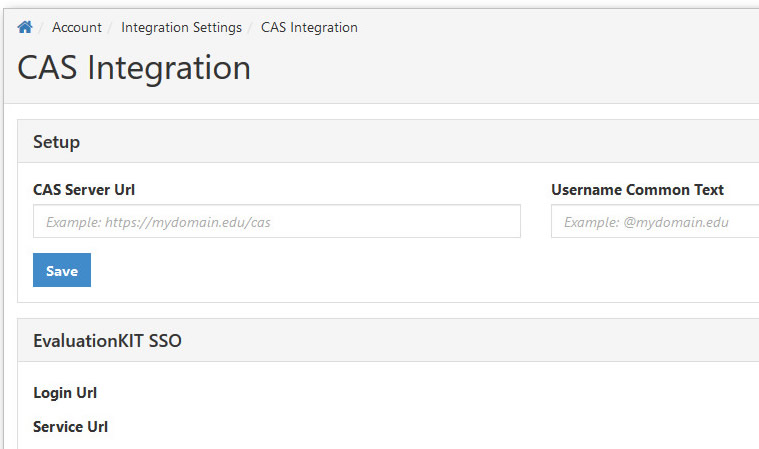
- Within the Account tab in your EvaluationKIT account, click on CAS under Integrations.
- Input your institution's CAS server URL.
- Username Common Text: If applicable, enter the common value that needs to be removed before the user is authenticated, otherwise ignore.
- Click Save.
- Under EvaluationKIT SSO, you will see:
- Login URL: This is the SSO EvaluationKIT link to use in your portal/LMS for user login.
- Service URL: EvaluationKIT CAS Service URL. You can ignore this setting if you do not restrict access to your CAS server.